Stream filters
What filters do
Filters decide which visitors a stream takes. A stream without filters takes everyone; a stream with Country = DE takes only Germans. Filters are added on the stream card with + Add filter.
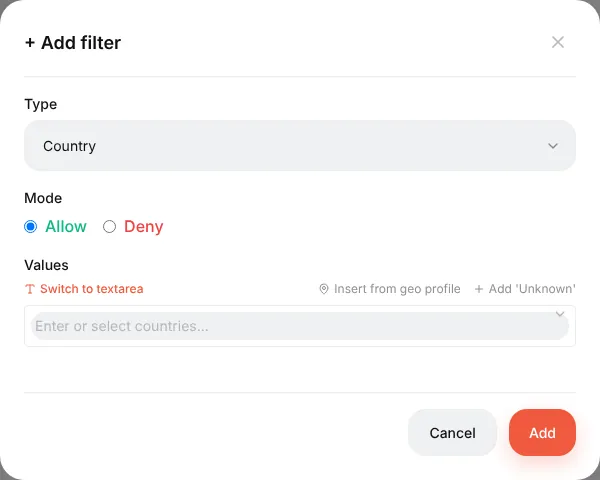
Every filter has:
- Type — what is checked (country, device…);
- Mode — Allow (the stream takes visitors who match) or Deny (the stream takes everyone except those who match);
- Values — one or several; any of them is enough.
Filter types
| Filter | Checks | Example |
|---|---|---|
| Country | The visitor's country from the geo database | Allow DE, AT, CH |
| Device | Mobile / Desktop / Tablet | Allow Mobile |
| Operating System | iOS, Android, Windows, macOS… | Allow iOS |
| Browser | Chrome, Safari… and in-app browsers (Facebook, Instagram, TikTok, Telegram, WebView) | Deny Facebook to catch in-app traffic separately |
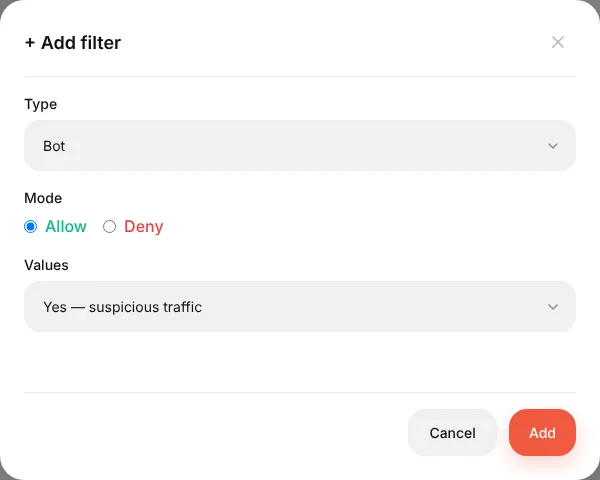
| Bot | The bot detector (crawlers, tools, missing headers) | Allow yes on an intercepting stream → 404 |
| Browser Language | The Accept-Language header. en = any English, en-IN = only India | Allow de |
| ISP Provider | The visitor's provider / ASN (needs the ASN database) | Deny Amazon, Google, Hetzner |
| Connection Type | From the geo database | — |
| IP Address | Single IPs and ranges (1.2.3.0/24), IPv4 and IPv6 | Allow your office IP for a test stream |
| Keyword | The keyword parameter of the click | — |
| URL Parameter | Any parameter of the campaign link, by name; | utm_placement = Instagram_Stories |
| Referrer | Where the visitor came from | — |
| Day of Week, Time | The visitor's local time (time zone from the geo database) | Only 9:00–21:00 |
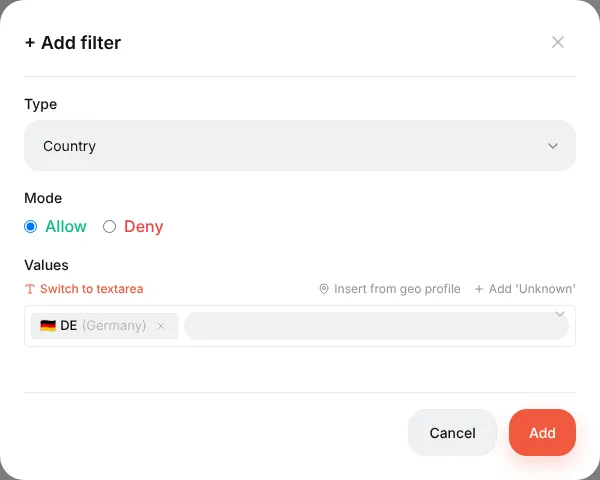
The country picker also has Insert from geo profile (ready sets like EU or CIS, editable under ⚙ → Geo profiles) and Add 'Unknown' for visitors whose country could not be determined.
Several filters: AND / OR
When a stream has more than one filter, the AND / OR switch above the list decides how they combine:
- AND — all filters must match (Germany and mobile);
- OR — one is enough (country = DE or browser language = de).
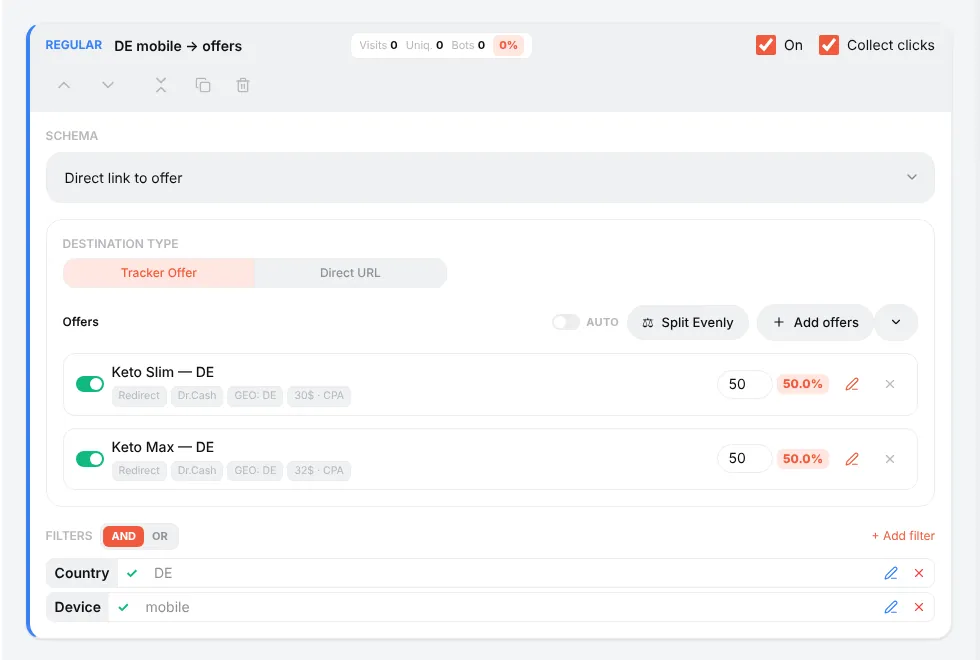
A filter that cannot decide (no geo database, no ISP data) does not vote: under AND it does not block the stream, under OR it does not open it. That is why a country filter "does nothing" until a geo database is installed.
Recipes
Send each country to its own offer. Regular streams "DE → offer DE", "AT → offer AT", "CH → offer CH", plus a fallback for everyone else.
Bots away from the offer. Intercepting stream, filter Bot (Allow, yes), schema Action → Show 404.
Only mobile traffic to the offer. Regular stream with Device = Mobile; desktop falls to the fallback.
Different landing per placement. Facebook's {{placement}} arrives as utm_placement. Stream 1: URL Parameter utm_placement = Instagram_Stories → a vertical landing. Stream 2: everything else.
Hide from TikTok moderation. Add xxx=__PLACEMENT__ to the campaign link in TikTok. Intercepting stream with a white page and the filter URL Parameter xxx = __PLACEMENT__ or Empty. In a real click TikTok replaces the macro; a moderator who opens the bare link arrives without it.
Test stream only for you. Intercepting stream with IP Address = your IP → whatever you are testing. Nobody else ever hits it.
Checking
Use the test link with &_dbg=1: the trace shows every filter's vote — match, no-match, or abstained with the reason. See Streams.
Reference: Campaigns and streams → Filters.
Beginner's guide: start here
A screen-by-screen tour of Orbitra: what the tracker does, the words you will meet, and the order to read the guides in.
Read guide →GuideYour first campaign, step by step
From a fresh install to a working campaign link and a test conversion: domain, network, offer, source, campaign, postback.
Read guide →GuideConnecting a domain
Add a domain, point DNS at the tracker, get a free SSL certificate, and what every switch on the Domains page does.
Read guide →GuideOffers and affiliate networks
How offers and networks are organized in Orbitra: templates, offer parameters and payout settings.
Read guide →GuidePostbacks: what to tell your affiliate manager
How conversions reach Orbitra: the postback URL, statuses, and what to copy-paste to your network.
Read guide →GuideStreams: how traffic is distributed
What a stream is, schemas, rotation and weights, and how Orbitra decides where a click goes.
Read guide →GuideStream filters
Country, device, ISP, bots and more: every filter explained with examples of common routing setups.
Read guide →GuideCloaking for beginners
Safe page vs money page, filter levels, sensitivity, and how to test your cloak before sending real traffic.
Read guide →GuideLanding pages
Host landings right in the tracker: landing types, the {offer} macro, the JS adapter and tracking pixels.
Read guide →GuidePWA apps
Build an installable PWA from a landing page: icon, screenshots, store listing and limits.
Read guide →GuidePush notifications to PWA users
Collect push subscribers from PWA landings and send them notifications — free re-engagement traffic.
Read guide →GuideContent Gallery
Store icons, screenshots and creatives in the tracker and reuse them across PWAs and landings.
Read guide →GuideCreatives and creative testing
Track which creative a click came from: subid routing, a test campaign and reading the report.
Read guide →